
The world of web development is moving fast, and WordPress development trends are at the forefront of this digital transformation. As we navigate through 2026, understanding these trends isn’t just about staying current—it’s about future-proofing your website and staying competitive in an increasingly digital marketplace.
WordPress powers over 43% of all websites on the internet, making it the dominant force in content management systems. But the way developers build, maintain, and optimize WordPress sites is changing dramatically. From artificial intelligence revolutionizing content creation to the Block Editor becoming the default development approach, the landscape of WordPress development is more dynamic than ever.
This comprehensive guide explores the transformative WordPress development trends shaping 2026, providing practical insights for business owners, developers, and digital agencies who want to stay ahead of the curve.
Understanding the WordPress Development Landscape in 2026
The WordPress ecosystem has evolved significantly over the past few years. What started as a simple blogging platform has transformed into a robust, enterprise-grade content management system that powers everything from small business websites to major corporate portals and high-traffic ecommerce platforms.
The shift toward WordPress development trends in 2026 reflects broader changes in technology and user expectations. Websites are no longer static digital brochures—they’re dynamic, interactive experiences that must perform flawlessly across all devices, load instantly, and adapt to individual user needs.
The convergence of new technologies, changing search engine algorithms, and evolving user behaviors has created a perfect storm of innovation in the WordPress ecosystem. Understanding these WordPress development trends is essential for anyone managing a website or overseeing a digital strategy.
The Rise of AI in WordPress Development
Artificial intelligence has moved from a futuristic concept to an everyday tool in WordPress development. This represents perhaps the most significant shift in how developers work.
AI-Powered Content Generation
WordPress development companies are now leveraging AI tools to accelerate workflow and improve content quality. Tools like Jetpack AI Assistant and Code WP enable developers to:
- Generate initial content drafts based on topics and keywords
- Rewrite sections for clarity, tone, and SEO optimization
- Create meta descriptions and headlines at scale
- Develop custom PHP functions and inline documentation
- Generate code snippets for complex functionality
These tools aren’t replacing developers—they’re augmenting their capabilities, allowing professionals to focus on strategy and refinement rather than repetitive tasks.
AI for SEO and Search Optimization
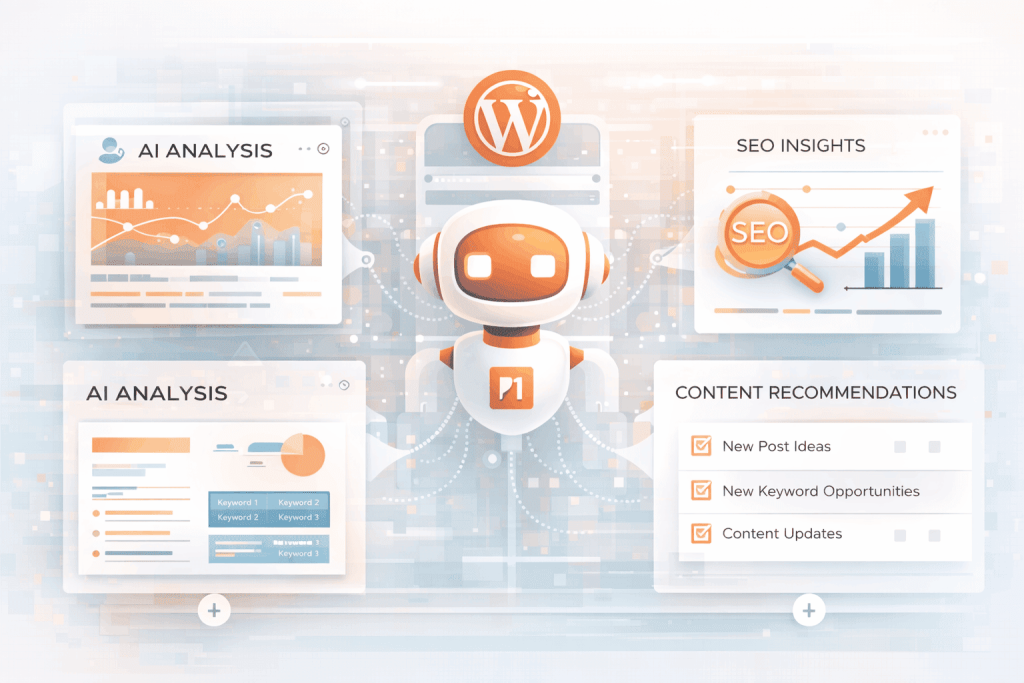
Advanced SEO plugins now incorporate AI algorithms that provide real-time optimization suggestions. These tools analyze your content against live keyword data, suggesting improvements for ranking potential. AI-powered chatbots enhance user engagement, while dynamic content recommendations increase conversion rates.
For WordPress development services, this means websites can now offer personalized experiences that adapt to visitor behavior, significantly improving user engagement and conversion metrics.
The Developer-AI Partnership
Rather than fearing automation, savvy WordPress development agencies are embracing AI as a collaborative tool. The most successful approach involves using AI for heavy lifting while developers focus on strategic decisions, quality assurance, and creative problem-solving.
Block Editor Dominance: The Default Development Approach
Perhaps no WordPress development trend has more dramatic implications than the Block Editor becoming the default for serious WordPress development in 2026.
Why Block-First Matters
The Block Editor (Gutenberg) has moved from an optional feature to the industry standard. Modern WordPress themes are now built as block themes with full Site Editor support, responsive layouts, and deeply integrated global styles. This shift fundamentally changes how developers approach WordPress website construction.
Advantages for Custom WordPress Development
Block-based development offers several critical advantages:
- Faster Development Cycles: Developers can build complex layouts without writing extensive custom CSS or HTML
- Visual Feedback: Real-time preview of changes improves development efficiency
- Client Collaboration: Clients can make content updates without breaking design integrity
- Future-Proof Architecture: Block themes align with WordPress’s long-term strategic direction
- Flexible Styling: Global styles allow site-wide design changes from a single interface
Integration with Visual Builders
Block Editor dominance doesn’t mean traditional page builders are disappearing. Instead, tools like Bricks, Breakdance, and Cwicly are evolving to work with Block Editor principles. These builders offer performance-focused, code-enhanced development that combines visual building with custom PHP capabilities.
Many agencies now use visual builders to prototype quickly, then transition to block-based development for final implementation and long-term maintainability.
WordPress Performance Optimization: A Non-Negotiable Priority
Performance is no longer a “nice to have”—it’s a fundamental requirement that directly impacts search rankings, user experience, and conversion rates.
The Critical Impact of Core Web Vitals
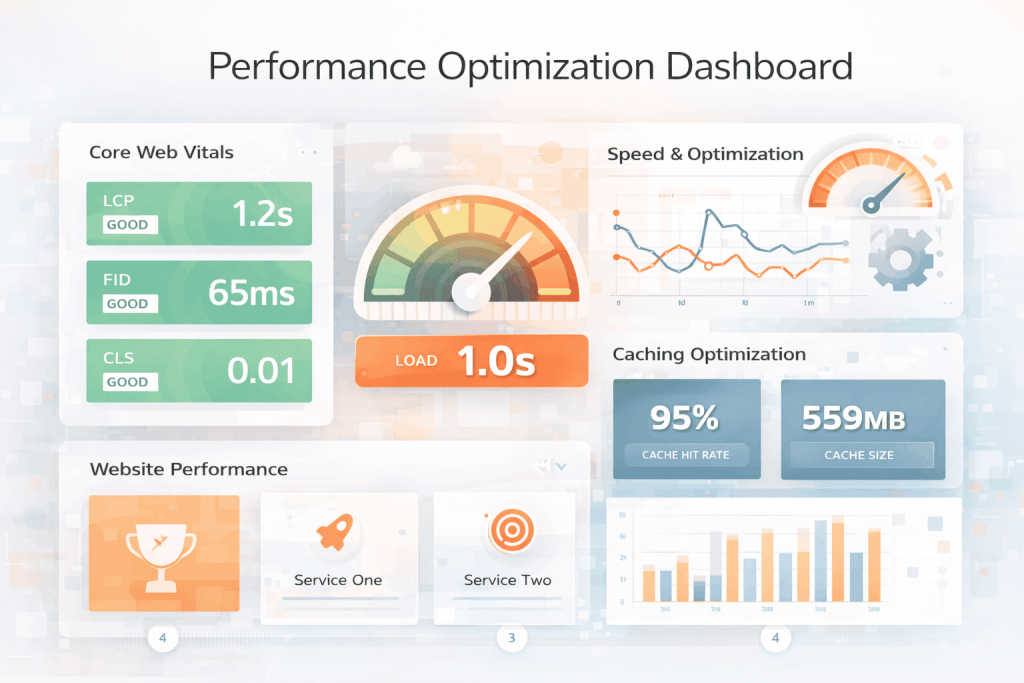
Google’s Core Web Vitals have become essential ranking factors. These metrics measure:
- Largest Contentful Paint (LCP): How quickly the main content loads (target: under 2.5 seconds)
- First Input Delay (FID): How responsive your site is to user input (target: under 100 milliseconds)
- Cumulative Layout Shift (CLS): Visual stability as the page loads (target: under 0.1)
WordPress development companies must prioritize optimizing for these metrics. A 1-second delay in page load time can reduce conversion rates by approximately 4.5%. This isn’t theoretical—it’s measurable impact on your business.
Performance Optimization Best Practices
Modern WordPress development trends include several proven optimization approaches:
Native Performance Optimization: Rather than relying solely on plugins, developers are implementing performance improvements at the code level. This includes optimizing database queries, implementing efficient caching strategies, and minimizing render-blocking resources.
Advanced Image Handling: AVIF image formats offer superior compression compared to traditional JPG or PNG files, reducing file sizes by 20-30% without quality loss. Lazy loading images below the fold prevents unnecessary resource consumption.
Content Delivery Networks (CDNs): Distributing content through geographically distributed servers ensures users receive content from locations closest to them, dramatically reducing latency.
HTTP/3 Implementation: Newer hosting infrastructure supports HTTP/3, which offers faster, more reliable data transmission compared to HTTP/2.
Caching Strategies: Combining browser caching, server-side caching, and object caching creates a multi-layered approach that dramatically improves response times.
For businesses seeking WordPress performance optimization services, these technical improvements directly translate to better search rankings, improved user satisfaction, and increased revenue.
Enhanced Security as a Core Development Principle
WordPress’s popularity makes it a target for cybercriminals. Security is no longer an afterthought—it’s a fundamental design principle in 2026.
Multi-Factor Authentication as Standard
Multi-Factor Authentication (MFA) has evolved from an advantage to a mandatory practice. Managed hosting providers like Kinsta and others now include MFA as standard, protecting against unauthorized access even if credentials are compromised.
Advanced Threat Detection
Modern WordPress security combines several protective measures:
- Real-time threat monitoring with automated alerts
- Automated malware scanning that identifies suspicious code patterns
- Login protection that prevents brute-force attacks
- Vulnerability management that automatically patches known issues
- Security scanning that identifies potential weaknesses
Security plugins like Wordfence provide comprehensive protection, but the most effective approach combines plugin-based security with server-level protections offered by premium hosting.
The Hosting-Security Connection
Your hosting provider plays a crucial role in your WordPress site’s security. Premium managed hosting services implement:
- Automatic backups and disaster recovery
- DDoS protection at the network level
- Intrusion detection systems
- Firewall rules tailored to WordPress
- Automatic security updates
Choosing the right hosting provider is one of the most important decisions in your WordPress development strategy.
Headless WordPress and Composable Architecture
Headless WordPress represents a fundamental shift in how organizations think about content management and frontend delivery.
Understanding Headless WordPress
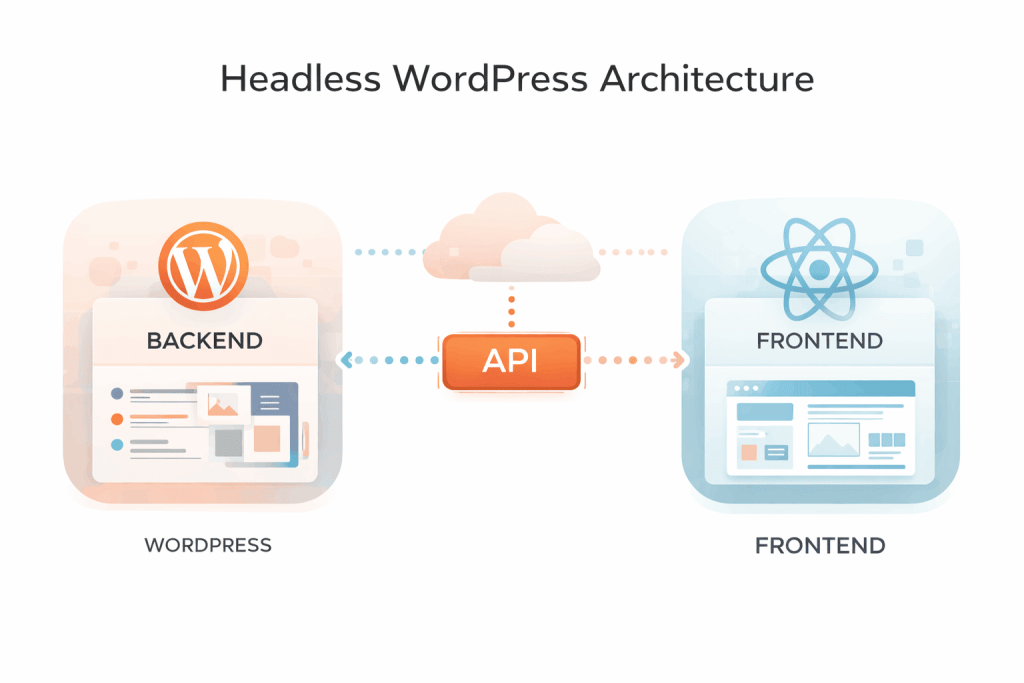
Traditional WordPress couples the content management system (backend) with the presentation layer (frontend). Headless WordPress decouples these components, using WordPress as a content management API while deploying content to various frontend channels.
Practical Benefits
Multi-channel Publishing: One content source for web, mobile apps, progressive web apps, and voice interfaces
Frontend Freedom: Use modern JavaScript frameworks like React, Vue, or Next.js for superior performance
Scalability: Separate scaling of content infrastructure from frontend delivery
Flexibility: Quickly pivot to new technologies without rebuilding content management
When Headless Makes Sense
Headless architecture excels for organizations with:
- Multiple digital properties (web, mobile, IoT)
- High-traffic sites requiring maximum performance
- Complex frontend requirements beyond traditional WordPress capabilities
- Rapid experimentation and innovation needs
For many small to medium-sized business websites, traditional WordPress remains the better choice due to simplicity and lower development costs.
The Trend Toward Efficiency and Less Code
WordPress development trends in 2026 emphasize efficiency and reduced complexity. This represents a healthy shift away from over-engineering solutions.
Minimalist Design Philosophy
Modern website design prioritizes clarity and efficiency:
- Reduced Clutter: Minimalist layouts with strategic white space improve readability and focus
- Intentional Visual Hierarchy: Clear prioritization of important content guides user attention
- Streamlined Navigation: Simplified site structure reduces cognitive load
- Mobile-First Approach: Design begins with mobile devices, not desktop
This shift improves user experience, page load times, and conversion rates simultaneously.
No-Code and Low-Code Development
The gap between “developer tools” and “design tools” has narrowed dramatically. Visual builders now serve professional developers, not just beginners. This allows agencies to:
- Prototype quickly without writing boilerplate code
- Maintain clean, semantic HTML output
- Collaborate effectively between designers and developers
- Scale project delivery without proportional team expansion
WordPress Security and Accessibility: Growing Importance
Two critical areas are gaining prominence in WordPress development trends: accessibility and security.
Accessibility Standards
Web accessibility isn’t optional—it’s a legal requirement in many jurisdictions. WordPress development must include:
- WCAG 2.1 Compliance: Meeting Web Content Accessibility Guidelines ensures sites work for users with disabilities
- Semantic HTML: Proper markup structure enables screen readers and assistive technologies
- Keyboard Navigation: Full site functionality without mouse interaction
- Color Contrast: Text contrast ratios meet accessibility standards
- Alternative Text: Images include descriptive alt text for screen readers
Accessible websites benefit all users, improve SEO, and reduce legal risk.
Advanced Security Measures
Beyond basic protection, modern WordPress development includes:
- Content Security Policy (CSP): Restricts which resources can be loaded
- HTTPS Enforcement: All traffic encrypted end-to-end
- Regular Security Audits: Identifying vulnerabilities before attackers exploit them
- Update Management: Automated patching of WordPress, themes, and plugins
- Access Controls: Role-based permissions limiting exposure if accounts are compromised
Mobile Optimization: Not an Option
Mobile optimization has transitioned from a nice-to-have feature to a fundamental requirement.
Mobile-First Development
Over 60% of web traffic now comes from mobile devices. WordPress development that ignores mobile will fail. Key principles include:
- Responsive Design: Content adapts fluidly to any screen size
- Touch-Friendly Interfaces: Buttons and interactive elements sized for fingers
- Fast Loading on Mobile Networks: Images and resources optimized for cellular connections
- Mobile-Specific Features: Geolocation, contact buttons, and simplified navigation
- Accelerated Mobile Pages (AMP): Optional framework for ultra-fast mobile performance
For WordPress development services, mobile optimization directly impacts search rankings, user satisfaction, and conversions.
Integrating Voice Search and Conversational UI
Voice search represents a growing portion of search queries, changing how WordPress sites must be optimized.
Voice Search Optimization
Voice searches tend to be longer, more conversational queries. WordPress development must adapt:
- Natural Language Content: Writing for how people speak, not just type
- Structured Data Markup: Schema markup helps voice assistants understand content
- Featured Snippet Optimization: Voice assistants often read featured snippets
- Conversational Keywords: Targeting question-based queries like “How do I…” or “What is…”
Chatbots and Conversational Interfaces
AI-powered chatbots integrated into WordPress sites provide:
- Instant Customer Support: 24/7 availability without human resources
- Lead Qualification: Automated questioning to identify high-quality prospects
- FAQ Automation: Answering common questions instantly
- Personalization: Dynamic content recommendations based on conversation
E-Commerce Evolution with WooCommerce
WooCommerce continues to evolve as a powerful ecommerce solution, with WordPress development trends in 2026 emphasizing:
- Enhanced Payment Integration: Supporting diverse payment methods and digital wallets
- AI-Powered Recommendations: Suggesting products based on browsing and purchase history
- Advanced Inventory Management: Real-time stock tracking across channels
- Mobile Commerce: Optimized checkout flows for mobile shoppers
- Subscription Support: Recurring revenue models for digital products and services
For ecommerce businesses, custom WordPress development with WooCommerce offers flexibility and scalability that competitor platforms can’t match.
How to Choose a WordPress Development Partner
Understanding WordPress development trends is crucial, but implementation is what matters. Choosing the right development agency is critical.
Questions to Ask Potential Partners
- Are they current with 2026 WordPress development trends?
- Do they prioritize performance and Core Web Vitals optimization?
- Can they implement security best practices and provide documentation?
- Do they use the Block Editor and modern development approaches?
- Can they provide examples of sites with excellent performance metrics?
- Do they offer ongoing optimization and maintenance services?
- Are they proficient in your specific needs (Elementor development, SEO, etc.)?
Red Flags to Avoid
- Agencies still using deprecated WordPress features
- Development that ignores performance metrics
- No discussion of security or backup strategies
- Unwillingness to explain their technical approach
- Lack of ongoing support after launch
Practical Implementation: Bringing These Trends to Your Site
Understanding trends is one thing; implementing them effectively is another. Here’s how to approach WordPress development in 2026:
Assessment Phase
Begin with a comprehensive audit of your current WordPress setup. Identify:
- Performance bottlenecks using Core Web Vitals data
- Security vulnerabilities through security scanning
- Outdated features or deprecated code
- Mobile responsiveness issues
- SEO improvement opportunities
Planning Phase
Develop a strategic roadmap addressing:
- Which WordPress development trends apply to your business
- Implementation priorities based on impact and effort
- Resource requirements and timeline
- Budget allocation across different improvements
- Success metrics and measurement approach
Implementation Phase
Execute changes systematically:
- Update WordPress, themes, and plugins to latest versions
- Migrate to block-based architecture if necessary
- Implement performance optimizations
- Enhance security posture
- Improve accessibility compliance
- Optimize for mobile and voice search
Optimization Phase
Continuous improvement based on data:
- Monitor Core Web Vitals and adjust as needed
- Analyze user behavior and refine based on insights
- Update content for SEO and AI search optimization
- Test new WordPress development trends for applicability
- Refine based on business metrics (traffic, conversions, etc.)
The ROI of Staying Current with WordPress Development Trends
Investing in modern WordPress development isn’t just about technology—it’s about business results.
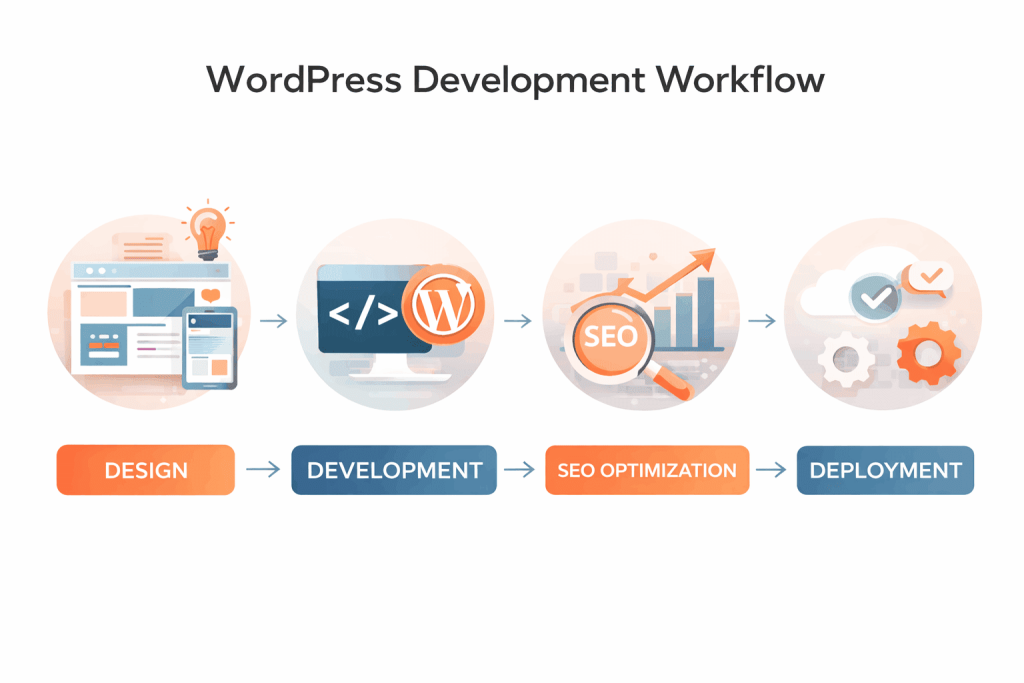
Quantifiable Benefits
Search Rankings: Faster websites with better Core Web Vitals rank higher, driving organic traffic growth
Conversion Rate Improvement: 1-second load time improvements can increase conversions by 4-7%
Reduced Bounce Rate: Better performance keeps visitors engaged longer
Mobile Traffic: Optimized mobile experiences capture the 60%+ of traffic from mobile devices
Security ROI: Preventing a single data breach saves thousands or millions in recovery costs
Operational Efficiency: Modern WordPress development reduces ongoing maintenance requirements
Competitive Advantage: Sites implementing latest trends outperform competitors on key metrics
The Future of WordPress Development: Looking Ahead
WordPress development trends in 2026 point toward several emerging directions:
Sustainability Focus: Green hosting and eco-friendly development practices are gaining importance as organizations prioritize environmental impact
Web3 Integration: While still niche, some WordPress sites are experimenting with blockchain features, NFT integration, and cryptocurrency payments
Advanced Personalization: AI-driven personalization will become standard, with content and experiences tailored to individual users
Progressive Web Apps: WordPress sites will increasingly function as offline-capable PWAs, blurring the line between web and native apps
Automated Optimization: AI will handle routine optimization tasks, freeing developers for strategic work
Conclusion: Embracing WordPress Development Trends for Future Success
The WordPress development landscape in 2026 is more sophisticated and capable than ever. The convergence of artificial intelligence, improved performance tooling, enhanced security requirements, and evolving user expectations creates both challenges and opportunities.
The WordPress development trends shaping 2026—from AI integration and Block Editor dominance to performance optimization and security enhancements—aren’t passing fads. They represent fundamental improvements in how websites are built, maintained, and optimized.
Whether you’re running a small business website, managing an ecommerce platform, or overseeing a corporate digital presence, understanding these WordPress development trends is essential. The good news is that many of these improvements simultaneously enhance search rankings, user experience, and conversion rates—creating a virtuous cycle of improvement.
The key is taking action. Websites that implement modern WordPress development trends outperform those that lag behind on every meaningful metric: search visibility, user engagement, conversion rates, and business growth.
Take Action Today
At Coresol Studio, we specialize in helping businesses navigate WordPress development trends and implement modern solutions that drive results. Our services include:
- Website Redesign Services: Transforming outdated websites with modern WordPress development approaches, improved performance, enhanced security, and better user experience.
- Elementor Development Services: Creating stunning, high-performance websites using Elementor’s powerful visual builder combined with modern development practices.
- SEO and AEO Optimization: Optimizing your WordPress site for search engines and AI-powered answer engines, ensuring visibility in both traditional and emerging search contexts.
Whether you need a complete website overhaul, custom development, or optimization of your existing WordPress site, our team stays current with the latest trends and best practices.
Ready to future-proof your WordPress site? Contact Coresol Studio today for a free consultation. Let’s discuss your specific needs and how the latest WordPress development trends can drive real business results for your organization.
The future of WordPress development is here. The question is: are you ready?