
Introduction
Your WordPress website is live and driving business results. But what happens after launch? Many business owners assume their WordPress website work is complete once it goes live. This misconception can be costly.
The reality is that WordPress maintenance and support services are essential to keeping your website secure, fast, and functioning properly. Without ongoing care, even the best-designed WordPress site can become vulnerable to attacks, suffer performance issues, and eventually fail to serve your business.
In this comprehensive guide, we’ll explore everything you need to know about WordPress maintenance and support services. Whether you’re managing a small business blog or a complex e-commerce platform, understanding these services is critical to protecting your digital investment and maximizing your site’s potential.
What Are WordPress Maintenance and Support Services?
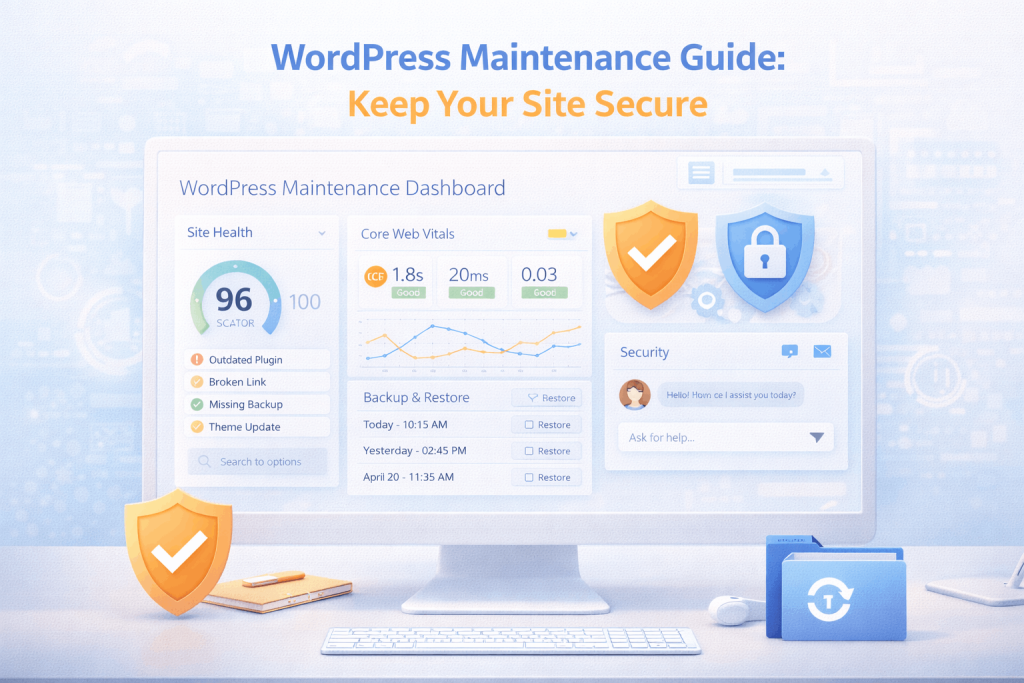
WordPress maintenance and support services refer to ongoing technical care and monitoring of your WordPress website. These services go beyond the initial setup and launch, focusing on the day-to-day operations needed to keep your site secure, updated, and performing well.
Why This Matters
WordPress powers over 43% of the web. This popularity makes it an attractive target for hackers. Without proper maintenance, your site becomes vulnerable to security breaches, data loss, and costly downtime.
Think of WordPress maintenance like car maintenance. You wouldn’t ignore your vehicle’s oil changes and inspections—your website deserves the same preventive care.
Core Components
Comprehensive WordPress maintenance includes:
Security Updates and Patching
Hackers constantly search for vulnerabilities in WordPress core, plugins, and themes. Security patches address these vulnerabilities. Regular updates close security gaps before they can be exploited.
Plugin and Theme Management
WordPress sites typically include multiple plugins and themes working together. Each component requires regular updates to maintain compatibility and security. Managing these updates manually is time-consuming and error-prone.
Backup Management
Regular automated backups create recovery points if something goes wrong. Whether a hacker attack, failed update, or data corruption occurs, proper backups mean you can restore your site quickly.
Database Optimization
WordPress databases accumulate unnecessary data over time, slowing your site. Regular optimization removes spam comments, unused revisions, and transient data, improving speed and performance.
Monitoring and Alerts
Proactive monitoring identifies issues before they impact your visitors. This includes tracking uptime, page speed, security threats, and user experience metrics.
Technical Support
Professional support means having expert developers available when issues arise. Whether it’s troubleshooting broken functionality, resolving plugin conflicts, or addressing security concerns, qualified support provides peace of mind.
Why WordPress Maintenance and Support Services Matter
Security Protection
The most compelling reason for professional WordPress maintenance is security. Hackers actively target outdated WordPress installations. According to industry research, over 90% of WordPress security vulnerabilities are targeted at sites running outdated software.
Regular maintenance keeps security patches current, closes vulnerability windows, and prevents exploitation. When a critical vulnerability is discovered, patches are released within hours. Professional maintenance services ensure your site receives these patches immediately.
Business Continuity
Website downtime directly impacts your revenue. Every minute your site is offline means lost potential sales, damaged credibility, and frustrated customers.
Professional maintenance prevents the issues causing downtime: failed updates, corrupted databases, server overload, and security breaches. Many maintenance services include 24/7 monitoring and rapid response protocols, ensuring issues are addressed before they impact your business.
Performance and User Experience
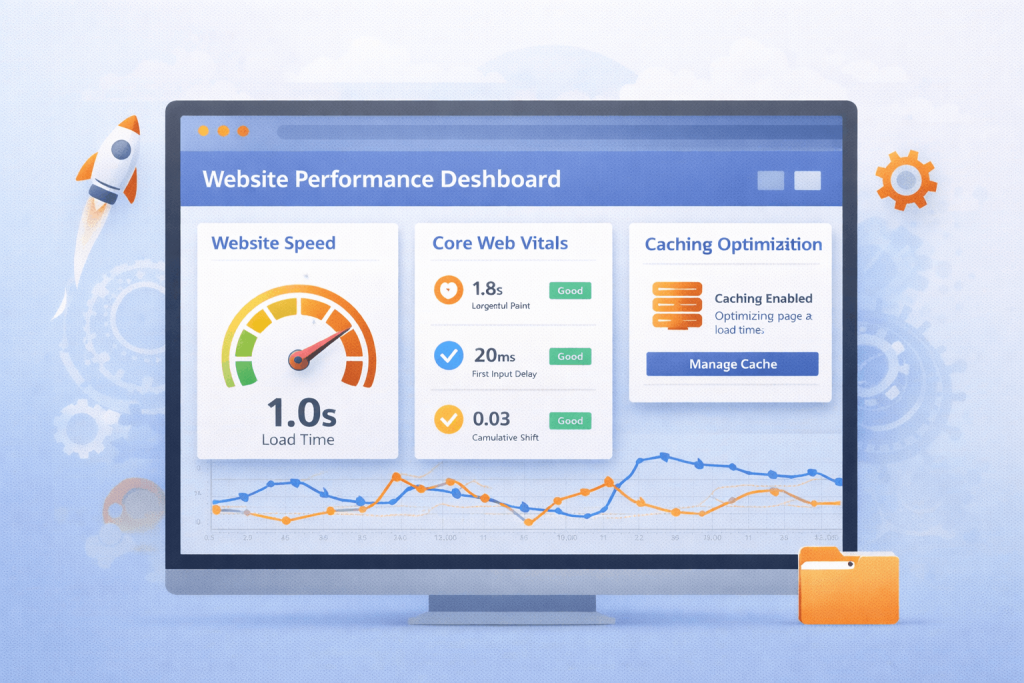
Slow websites drive visitors away. Google recognizes this reality and penalizes slow sites in search rankings. Regular maintenance tasks like database optimization, image optimization, and caching configuration keep your site fast and responsive.
A well-maintained WordPress site provides:
- Faster page load times
- Better mobile responsiveness
- Improved user engagement
- Higher conversion rates
- Better search engine rankings
Cost Efficiency
Preventive maintenance is dramatically cheaper than emergency repairs. A security breach can cost $5,000-$50,000+ in recovery costs, legal fees, and reputation damage. Regular maintenance costs a fraction of that while preventing these disasters entirely.
Compliance and Data Protection
Many industries require documented security practices and regular backups. GDPR, HIPAA, and other regulations demand proof of data protection measures. Professional maintenance services provide the documentation and compliance verification you need.
Essential WordPress Maintenance Tasks
Regular Backup and Recovery
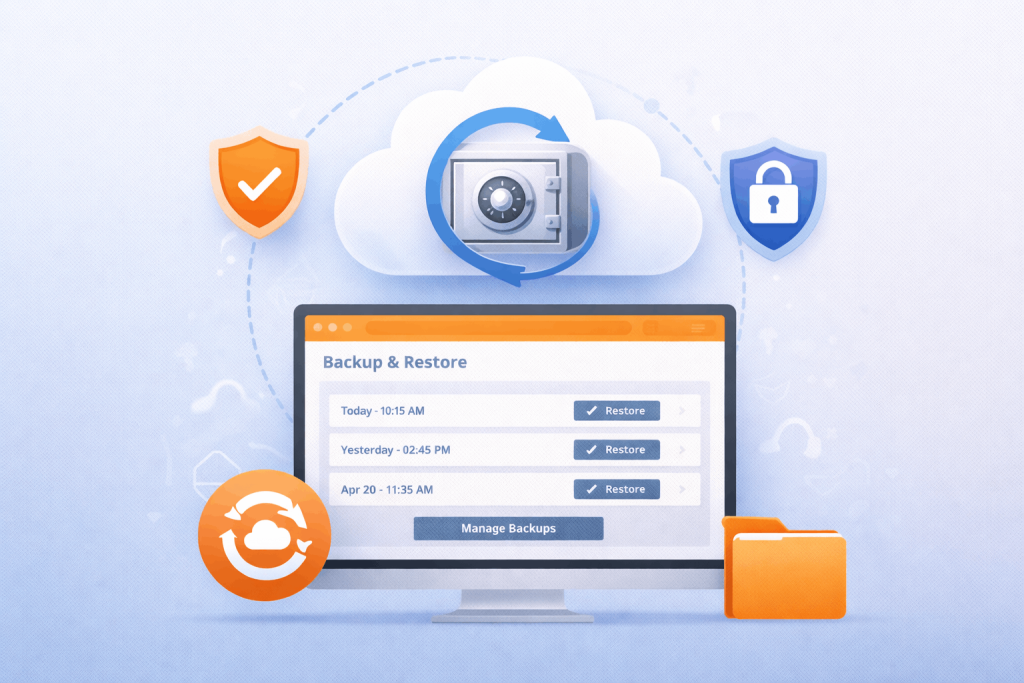
Backups are your insurance policy. Professional maintenance includes:
- Automated daily backups stored securely off-site
- Multiple backup copies maintained simultaneously
- Regular restoration testing to verify backup integrity
- Clear disaster recovery procedures documented
- Rapid recovery capability (usually within hours)
Best Practice: Store backups in at least two separate locations, with one being geographically distant from your primary server.
WordPress Core Updates
WordPress core updates address security vulnerabilities and add new features. These updates should be applied within days of release.
The update process includes:
- Testing updates in a staging environment before production
- Verifying theme and plugin compatibility post-update
- Rolling back capability if issues occur
- Documentation of all updates applied
- Verification that site functionality remains intact
Plugin and Theme Updates
Plugins and themes require regular updates for security and compatibility. Professional maintenance services:
- Monitor available plugin and theme updates
- Test updates thoroughly before applying them
- Address compatibility issues that arise
- Remove unused plugins and themes
- Replace abandoned plugins with maintained alternatives
Security Scanning and Hardening
Beyond updates, security maintenance includes:
- Malware scanning to detect hidden compromises
- Vulnerability assessments identifying security weaknesses
- Two-factor authentication implementation
- User access reviews ensuring proper permissions
- Security plugin configuration and management
Database Optimization
WordPress databases accumulate unnecessary data over time. Optimization includes:
- Removing spam comments and trackback spam
- Cleaning post revisions and draft versions
- Purging transient data and expired caches
- Optimizing database tables and indexes
- Removing unused custom fields and metadata
Performance Monitoring
Continuous monitoring identifies performance bottlenecks:
- Real-time uptime monitoring from multiple locations
- Page speed monitoring and alerts
- Server resource usage tracking
- Error log analysis and investigation
- Performance reporting and optimization recommendations
User and Access Management
Maintaining proper access controls:
- Reviewing user accounts and permissions
- Removing inactive user accounts
- Implementing strong password policies
- Enabling two-factor authentication
- Monitoring admin activity and login attempts
Types of WordPress Maintenance Services
In-House Maintenance
Your own IT staff manages maintenance. This approach:
Advantages:
- Direct control over processes
- Team understands your specific needs
- No external dependency
Disadvantages:
- Requires hiring technical expertise
- Expensive staff salaries and training
- Limited 24/7 availability
- May lack WordPress-specific knowledge
Managed WordPress Hosting
Some hosting providers include maintenance as part of their service. This approach:
Advantages:
- Updates and monitoring included in hosting package
- Easier scalability as traffic grows
- Simplified billing
Disadvantages:
- Limited customization options
- Vendor lock-in with hosting provider
- May include unnecessary features
- Support quality varies significantly
WordPress Maintenance Services
Specialized agencies like Coresol Studio provide dedicated maintenance. This approach:
Advantages:
- Deep WordPress expertise
- Customized service plans
- 24/7 professional monitoring
- Cost-effective compared to in-house
- Flexible scaling as needs change
Disadvantages:
- Less direct control than in-house
- Reliant on external provider
Hybrid Approach
Combining in-house staff with managed services:
- Internal team handles strategic decisions
- Managed service provides technical maintenance
- Balances control with professional expertise
- Optimizes both cost and capability
WordPress Maintenance Best Practices
Establish a Regular Schedule
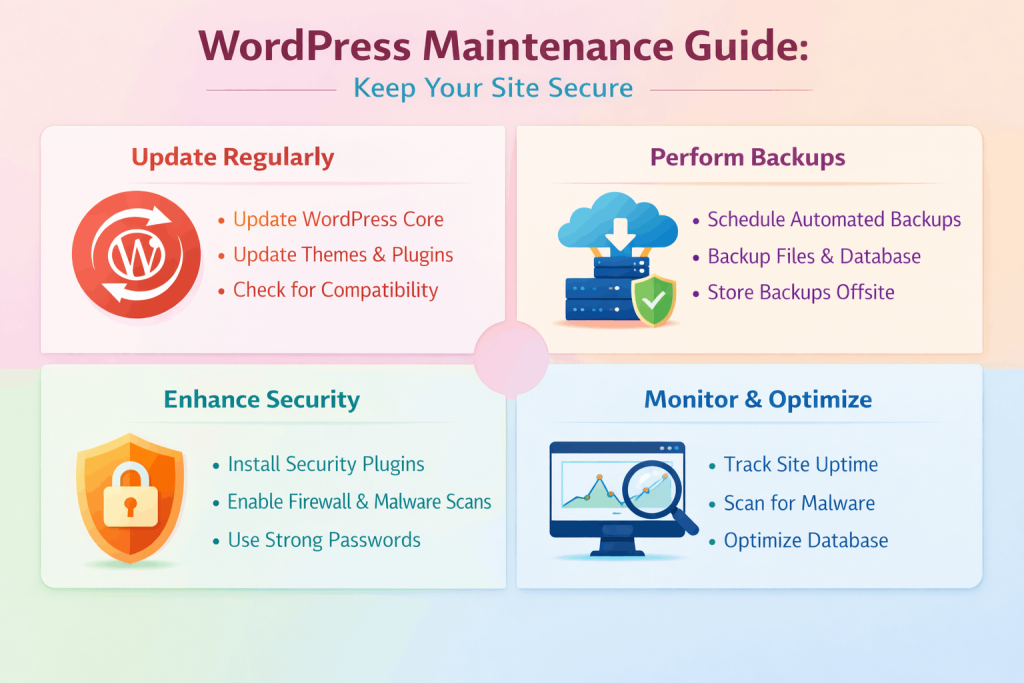
Successful maintenance requires consistency. A typical schedule includes:
Daily:
- Monitoring site uptime and performance
- Checking security alerts
- Reviewing error logs
Weekly:
- Applying available plugin and theme updates
- Verifying backups completed successfully
- Checking for new security vulnerabilities
Monthly:
- Database optimization
- Performance review and optimization
- Security scanning and audit
- Backup restoration testing
Quarterly:
- Comprehensive security audit
- Performance benchmarking
- Disaster recovery procedure testing
- Update WordPress documentation
Use Staging Environments
Never apply updates directly to production. Professional maintenance requires:
- A staging environment mirroring production
- Testing all updates before production deployment
- Verification of functionality post-update
- Clear rollback procedures if issues occur
Implement Proper Backup Strategy
Sound backup practices include:
- Daily automated backups
- Backups stored in multiple locations
- Off-site geographic redundancy
- Regular restoration testing
- Clear recovery time objectives (RTO)
Document Everything
Maintain comprehensive documentation:
- Update history with dates and details
- Site configuration and settings
- Plugin and theme versions installed
- Security incidents and resolutions
- Performance baselines and optimization efforts
- Access credentials stored securely
Monitor Performance Metrics
Track these key performance indicators:
- Page load times and Core Web Vitals
- Server uptime percentage
- Error rates and log summaries
- User engagement metrics
- Conversion rate changes
- Security scan results
Use Security Best Practices
Implement these essential security measures:
- Two-factor authentication for all admin accounts
- Limit administrative user accounts to necessary personnel
- Strong password policies enforced
- Disable direct file editing in wp-config.php
- Remove unnecessary plugins and themes
- Implement Web Application Firewalls (WAF)
- Regular security plugin updates
Common WordPress Maintenance Mistakes to Avoid
Skipping Updates
Delaying security updates is dangerous. Each unpatched vulnerability creates an entry point for hackers. Updates should be applied within days of release, not weeks later.
Inadequate Backups
Some sites only backup weekly or monthly when daily backups are standard. Others never test backups, discovering they don’t work only during actual disasters. Regular testing ensures your backups work when needed.
Ignoring Performance Issues
Slow sites lose users and ranking. Performance problems often creep up gradually. Monitoring prevents this by alerting you to changes before users notice.
Using Outdated Themes and Plugins
Legacy themes and plugins that receive no updates become security vulnerabilities. If developers abandon plugins, replace them with actively maintained alternatives.
Neglecting Security Audits
Regular security audits identify vulnerabilities before hackers exploit them. Monthly vulnerability scanning and quarterly penetration testing represent best practices for serious sites.
Poor Documentation
Without documentation, knowledge exists only in one person’s memory. When that person leaves, critical information disappears. Comprehensive documentation ensures continuity.
Failing to Test Updates
Testing updates in staging before production prevents disasters. The few hours spent testing prevent days of fixing broken sites.
WordPress Maintenance and Support at Coresol Studio
At Coresol Studio, we understand that your WordPress site is a business-critical asset. Our WordPress maintenance and support services are specifically designed for organizations serious about digital success.
Our Services Include
Security Management
We implement enterprise-grade security measures protecting your site from current and emerging threats. Our services include real-time threat monitoring, vulnerability scanning, and rapid response protocols.
Regular Updates and Optimization
Our team manages all WordPress core, plugin, and theme updates with comprehensive testing. We optimize your site’s performance, ensuring fast load times and excellent user experience.
Expert Technical Support
Access our senior developers for issues beyond standard maintenance. Whether you need custom development, complex integrations, or advanced optimization, we provide expert guidance.
Comprehensive Monitoring
We provide transparent dashboards and regular reports showing your site’s health, security status, and performance metrics.
Disaster Recovery
Our backup and recovery protocols ensure rapid restoration if disaster strikes. We test recovery procedures regularly, guaranteeing reliability when you need it most.
Why Choose Coresol Studio
Our team brings years of WordPress expertise to every project. We develop custom maintenance plans aligned with your:
- Site complexity and size
- Traffic volume and growth trajectory
- Security requirements and compliance needs
- Budget constraints
- Business objectives
Whether you need basic maintenance or enterprise-grade support for complex installations, we create solutions matching your exact requirements.
Integration With Custom Development
If you’re considering custom development work, our WordPress development services include post-launch maintenance, ensuring your custom solutions receive the same professional care as standard WordPress sites.
For sites requiring beautiful, maintainable designs, our Elementor development services create custom designs that integrate seamlessly with our maintenance protocols.
If your site needs modernization, our website redesign services combine strategic updates with ongoing maintenance support.
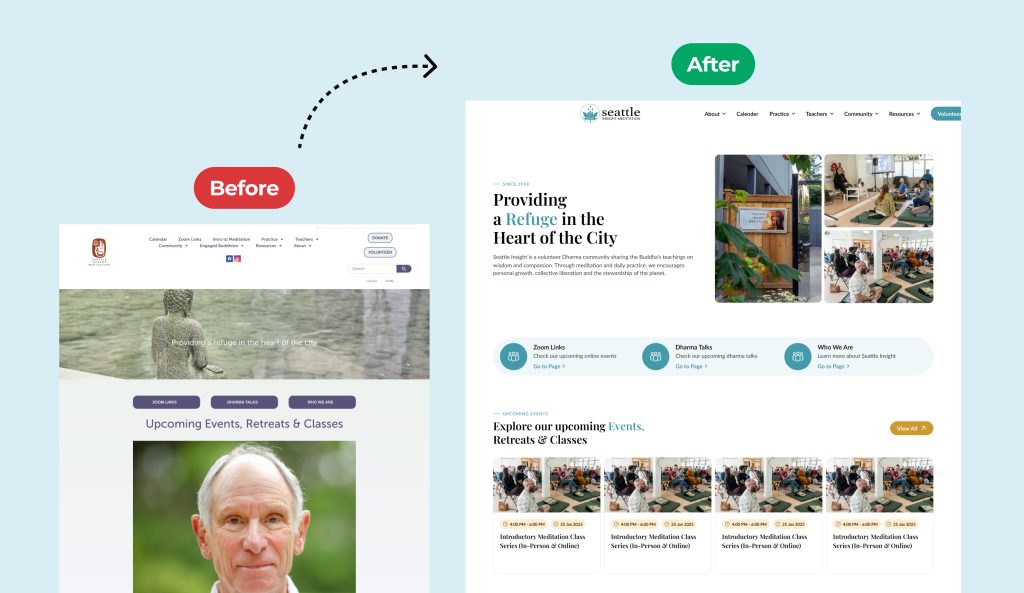
Seattle Insight is a Buddhist meditation and mindfulness community based in Seattle, WA. Their existing website was built on outdated infrastructure, with fragmented content and a poor user experience. Visitors struggled to donate, register for events, and access important resources such as podcasts and teachings.
Coresol Studio was engaged to deliver a complete website redesign and improve overall usability. The project started with a modern UI and UX design in Figma, focusing on clear navigation, accessibility, and a structured content flow tailored to user needs.
The approved design was then developed on WordPress using Elementor and the Hello Elementor theme. This approach ensured a fast, responsive, and easy-to-manage website that supports future growth.
The redesigned website improved user engagement by simplifying key actions such as event registration, online donations, and content discovery. It also created a cohesive digital experience that reflects the values of the Seattle Insight community while enhancing performance, accessibility, and SEO.
WordPress Maintenance Costs and ROI
Typical Service Costs
Basic Plans ($50-100/month)
- Weekly updates and backups
- Basic security scanning
- Email support
- Monthly optimization
Standard Plans ($100-250/month)
- Twice-weekly updates
- Real-time security monitoring
- Daily backups
- 24/7 support availability
- Weekly optimization
Premium Plans ($250-500+/month)
- Daily updates and monitoring
- Advanced security services
- Hourly backups
- Priority phone support
- Dedicated account manager
Return on Investment
The ROI of professional maintenance includes:
- Security Protection Preventing a breach costs far less than recovery. Average breach costs exceed $4,500.
- Revenue Protection Each hour of downtime costs money. Professional monitoring prevents costly outages.
- SEO Performance Fast, secure sites rank higher in search results. Better rankings generate more traffic and revenue.
- Staff Productivity Your team focuses on business growth rather than firefighting maintenance issues.
- Scalability Professional maintenance ensures infrastructure can handle growth without degradation.
Implementing WordPress Maintenance and Support
Getting Started
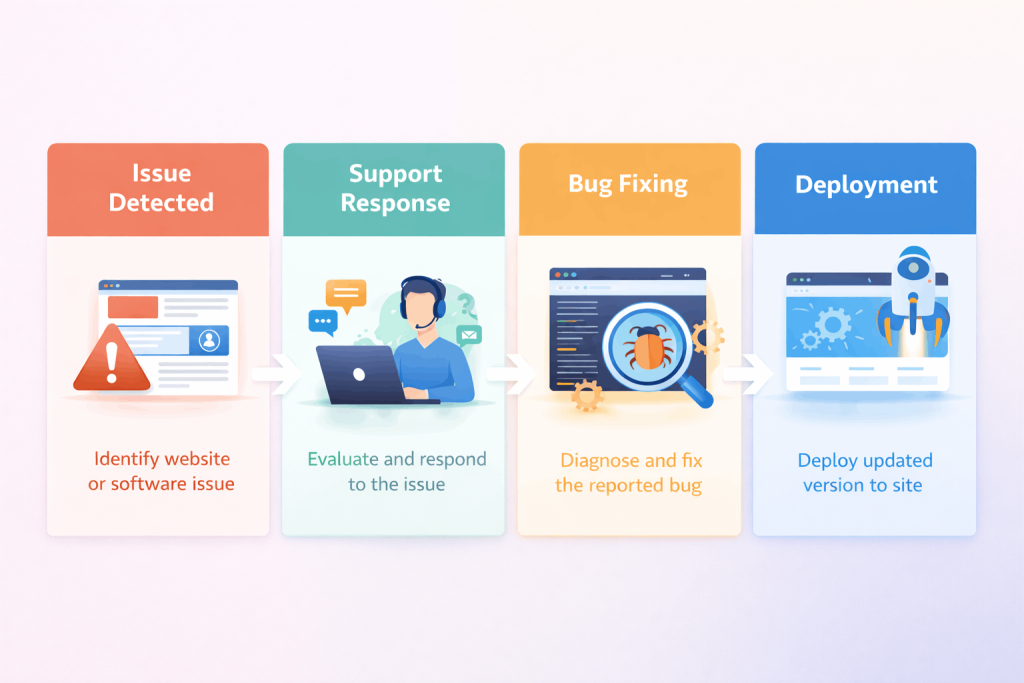
The process typically includes:
- Initial Audit – Review current site status and identify issues
- Custom Plan Development – Create maintenance plan aligned with your needs
- Service Setup – Implement monitoring, backups, and security measures
- Training – Educate your team on new processes and access
- Ongoing Management – Regular maintenance and optimization
- Reporting – Monthly/quarterly reports on site health and metrics
Transition From Existing Services
If you currently use another provider, we make transition seamless:
- Audit your current setup and documentation
- Implement improved processes without disruption
- Maintain all existing security and backup configurations
- Ensure zero downtime during transition
The Future of WordPress Maintenance
As WordPress continues evolving, maintenance becomes increasingly important:
Increased Security Threats
Hackers grow more sophisticated. Professional maintenance becomes more critical.
Performance Expectations
Users expect faster sites. Ongoing optimization ensures competitiveness.
Compliance Requirements
Regulations like GDPR demand documented security practices.
Site Complexity
More complex sites require sophisticated maintenance approaches.
Staying current with these trends requires professional expertise. WordPress maintenance services ensure your site remains secure and competitive.
Conclusion
WordPress maintenance and support services are no longer optional—they’re essential. In an era of increasing cyber threats and rising user expectations, professional maintenance protects your investment while maximizing your site’s potential.
The key takeaways from this guide:
- Security isn’t optional. Regular updates and monitoring prevent breaches before they occur.
- Prevention is cheaper than repairs. Professional maintenance costs far less than emergency recovery.
- Performance matters. Fast sites engage users better and rank higher in search results.
- Proper backups save businesses. When disaster strikes, reliable backups mean recovery rather than loss.
- Expertise makes a difference. Professional maintenance specialists bring knowledge that prevents costly mistakes.
- Consistency ensures success. Regular, scheduled maintenance prevents problems from accumulating.
Your WordPress website is a valuable business asset. Protect it with professional maintenance and support services.
Ready to Secure Your WordPress Site?
Coresol Studio provides comprehensive WordPress maintenance and support services tailored to your specific needs. From security updates and backups to performance optimization and technical support, we handle everything required to keep your site secure, fast, and reliable.
Our team of certified WordPress experts brings years of experience supporting websites of all sizes and complexities. We create custom maintenance plans aligned with your business goals and budget.
Don’t let your WordPress site become a liability. Contact Coresol Studio today for a free consultation on WordPress maintenance and support services.
Let us develop a maintenance strategy protecting your investment and enabling your business to thrive online.